
Responsive product website
Noserider
A responsive surf brand website designed in Figma and built with HTML and CSS.
The process
Research
Brand Identity
Brand Identity
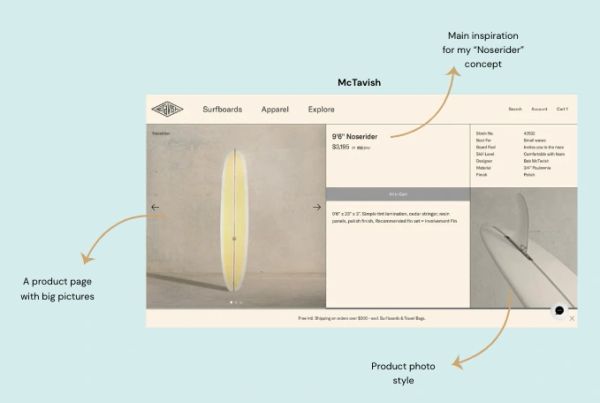
I began by brainstorming concept ideas and doing market research. Through establishing a target group and doing competitor analysis, I decided to develop a retro surf brand concept.
Brand Identity
Brand Identity
Brand Identity
.png/:/rs=w:600,cg:true,m)
When deciding on the concept and style of the website I created a styleboard to maintain a red thread of the brand identity. Choosing colours, fonts and components that surfers relate to and connect with was helpful to create a strong brand identity.
My initial idea and research resulted in a relaxed, retro and simple brand identity that a lot of surfers relate to.
Wireframes & prototypes

Building on the research insights, I started sketching lo-fi paper wireframes to get an idea of what kind of product website I wanted to develop. After playing around with the wireframes I landed on that I wanted to develop a product showcase website.
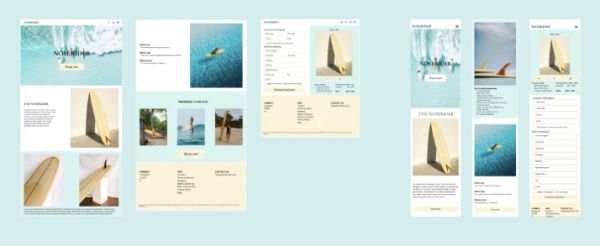
Desktop and mobile hi-fi prototypes
Development in VS Code
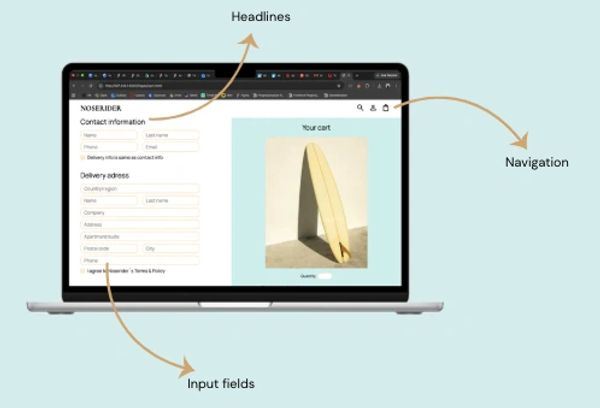
HTML-structure and semantic tags
I´ve used the following HTML-structure and semantic tags to create a well-structured HTML-page which makes it easier to understand, maintain and navigate through the content.
- Header, nav, main, section, footer
- Headlines: H1, H2, H3, H4 etc
- Input fields for the check out page (phone, contact info, quantity, check boxes)
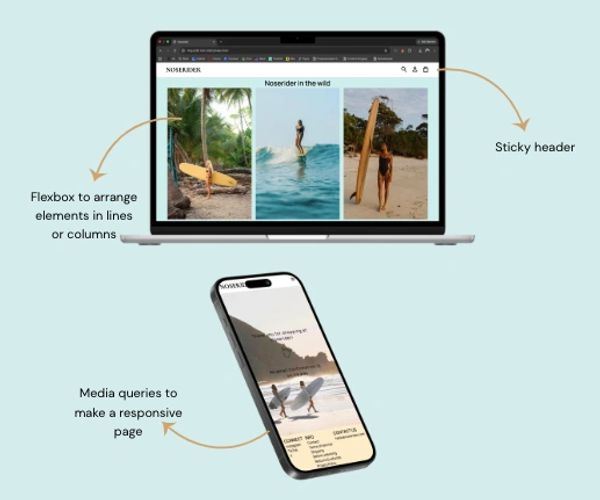
CSS, layout and responsiveness
I´ve used CSS and flexbox to style the content and make it responsive for both desktop and mobile browsing
- Flexbox to place and adjust elements to fit in lines or columns.
- Margin, padding and gap to create a consistent layout.
- Media queries to atjust the layout for both desktop and mobile.
- Position: I´ve used sticky to make the header stick to the top of the browser while scrolling
CSS reusability and organization
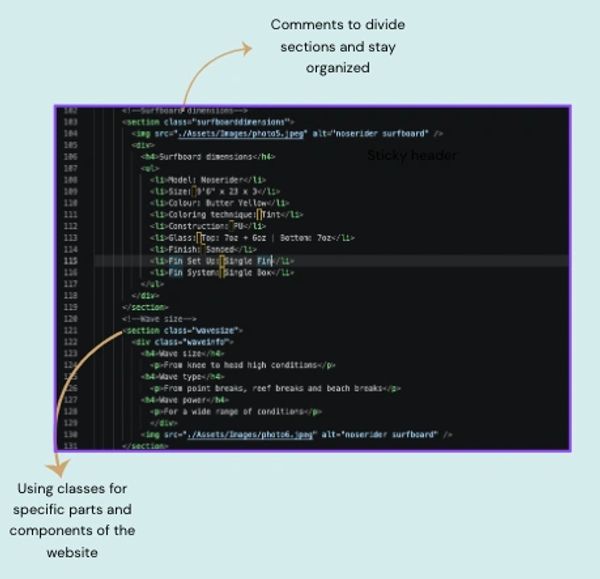
I´ve used the following approach to keep my code organized in order to easily make local changes without it affecting the whole website
- Consistent CSS styling for navigation, buttons, typography and footer
- Classes for specific components
- Linking HTML-classes and CSS-selectors
- Avoiding unnecessary duplication of code
- Comments in the code to stay organized
Usability and accessability - technical design choices that support the user
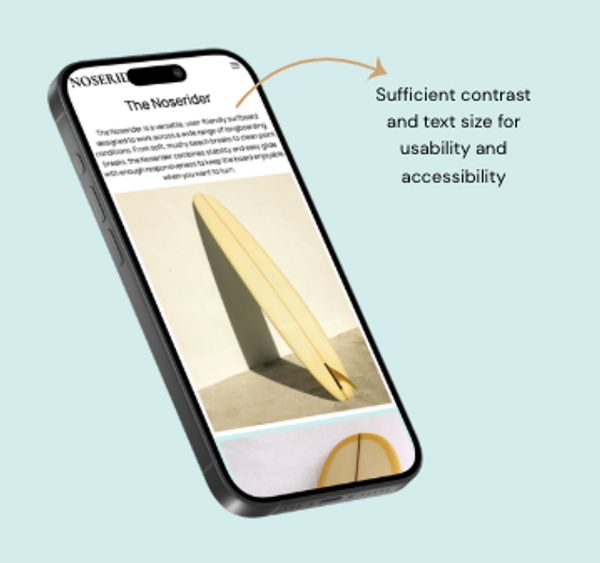
I´ve made the following choices to maintain a visual interface that is easy to understand, navigate and access for the user
- Sufficient contrast and font size to make text easy to read
- Alt-text to describe pictures
- Logical content hierarchy and a mobile friendly layout
- Links and buttons with sufficient description
End result


Explore other projects
Adventure Buddy
Website/portfolio redesign
Website/portfolio redesign
Digital Prototype & App Design
Website/portfolio redesign
Website/portfolio redesign
Website/portfolio redesign
Coming soon